
SkitchCraft Get the beta

Skitch, reinvented.

Capture. Annotate.

SkitchCraft is what Skitch would look like today: a fast screenshot app that also records your screen, for macOS, Windows and Linux. It is in private beta.

I will use it on

One e-mail with your download link when your seat opens. No account, no newsletter.

Simple, until you need more.

This is a working corner of the app. Pick a tool and draw on the picture.

Simple mode

Capture, six tools, Share. One panel, for stickers and stamps. One format to save in, with the others a click away. It is what you get when you open the app.

Advanced mode

One switch above the picture adds the picture commands, from removing a background to adjusting colours, an inspector, the action history, notifications, shortcut hints and every export format with its size.

Capture. Now it moves.

Record a region, a window or the whole screen. Talk over it, put your camera in a bubble, and draw on the screen while it records: every stroke is in the video as you make it.

Watch: someone is drawing on the screen while it records. Nothing here uses your camera or microphone.

  • Starts paused. Set up, then press Record. Pause and resume as often as you like.
  • Draw live. Arrows, shapes, pen, highlighter, text and step numbers, over any app.
  • The bar stays out of it. On macOS and Windows the controls are not in the video.
  • Then keep editing. The recording opens in SkitchCraft: trim it, and annotate the whole video.

Annotate. And hide for real.

A lot of markup tools hide things by putting a shape on top. Save that as an editable file, or export it the wrong way, and whoever opens it can move the shape aside.

SkitchCraft replaces the pixels. The picture you export is checked again before it leaves, and if you save an editable document that still holds the original, it tells you.

Drag both boxes and see which one gives up the key.

A box on a layer
Projectlumen-production Secret keysk_live_9fK2mQ7xTr4bZ1 Created12 March 2026

Looks safe.

SkitchCraft
Projectlumen-production Secret key Created12 March 2026

Looks safe.

Fix the typo in the PDF itself.

The text of a PDF is now real text: select it, copy it, search it. And when the contract says “invocie”, double-click the line and retype it.

It is saved back as text, in the page’s own font, not as a patch painted over the page.

Double-click the line with the typo. Or search the page.

Services agreement

Lumen Analytics and Northwind Studio, 3 November 2026

1. Scope. Northwind Studio will design and build the reporting dashboard described in Schedule A, in three milestones.

2. Fees. Each milestone is billed on delivery. Payment is due within 30 days of the invocie date, by bank transfer.

3. Changes. Work outside Schedule A is quoted separately and starts only after written approval of the quote.

4. Term. Either party may end this agreement with 30 days of written notice. Payment for delivered work remains due.

Page 1 of 2
Straight from your computer.

One button holds it all: copy, AirDrop, Mail, Messages, your social networks, or a folder in iCloud Drive or Dropbox. It shows the size of the file before you send it.

There is no SkitchCraft server in between. No account, no upload, no page with your screenshot on it.

Drag the tab into the chat. Your marks from the top of the page come with it.

Design team

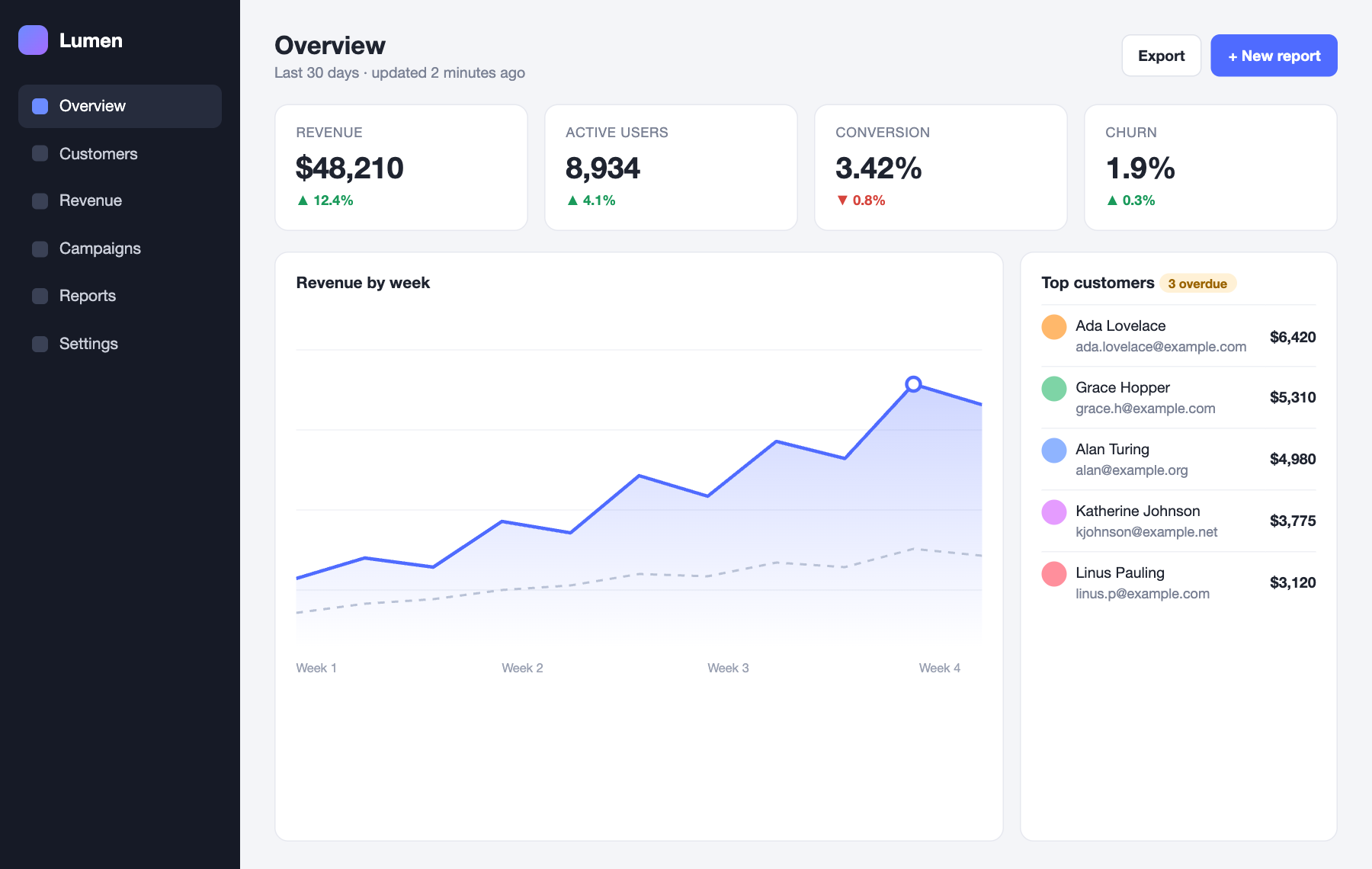
  • Conversion looks off. Can you show me where?

Drop it here

What changed since Skitch.

You know the rest already. These are only the differences.

Changed

  • One window became two modes: simple, and advanced on a switch
  • Pixelation is written into the exported picture and checked
  • Arrows bend into a curve
  • Undo is a history you can jump around in, or fork into a new window
  • Saved documents stay editable, and other apps can still open them
  • PDFs have real text you can search and edit
  • Sharing goes through your own apps and folders

Added

  • Screen recording with microphone and a camera bubble
  • Drawing on the screen while it records
  • Trim and annotate videos; annotate GIF, APNG and WebP animations
  • Linux, and Windows again
  • Step numbers and emoji stickers
  • Straighten, perspective, colour adjustments, upscale 2× and 4×
  • Remove a background and copy text from a picture, on macOS
  • Folder filmstrip and grid, side-by-side compare, EXIF inspector
  • Dark theme, 20 languages, crash recovery
  • A command palette and single-letter tool keys

Removed

  • The Evernote account and sync
  • Uploads and hosted image links
  • Timed screenshots
  • The phone and tablet apps

Every action is one ⌘K away. The app has a command palette and so does this page: press it now, or .

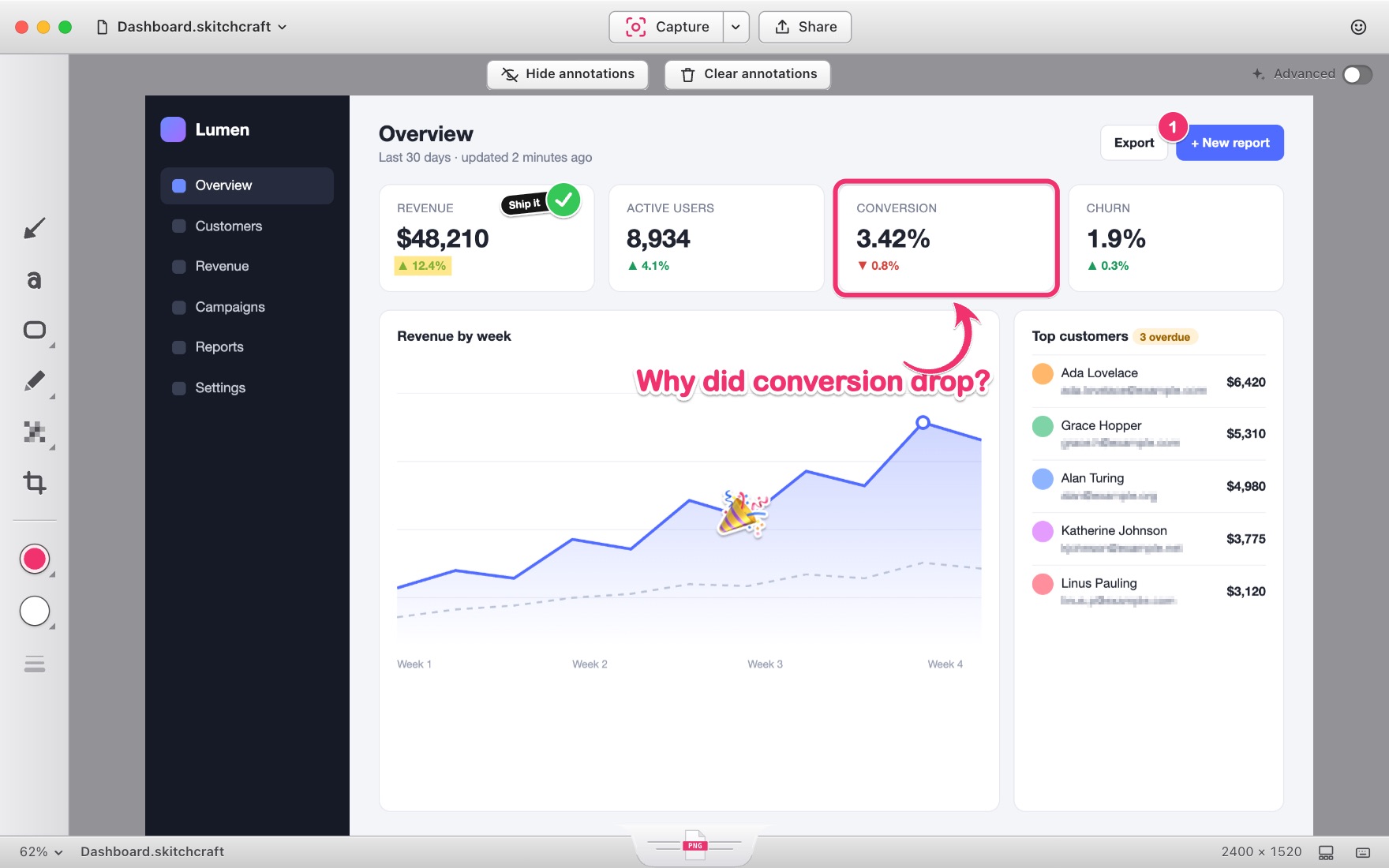
The app, as it is today.

Screenshots, in the theme you are reading this page in. Switch the theme and they switch too.

SkitchCraft in simple mode, annotating a dashboard: an arrow, a callout, a highlight, a stamp and pixelated e-mail addresses
Simple mode: capture and share at the top, six tools on the left, the picture in the middle. The tab at the bottom drags the finished picture into any app.

How it compares.

Each of these apps is good at something. This is where they differ, including the two things SkitchCraft does not fully do yet.

Feature comparison between SkitchCraft and five other screenshot apps

yes partly no. Skitch for Windows was discontinued and the Mac app is no longer updated. Shottr is free with an optional paid licence. Copying text from a picture works on macOS only for now. SkitchCraft needs ffmpeg installed to record on Windows and Linux. Based on each product’s public documentation in November 2026.

Capture. Annotate.

The beta is small on purpose, so bugs get fixed while they are still few. Leave your address and you will get a download link for your system when a seat opens.

I will use it on

One e-mail with your download link when your seat opens. No account, no newsletter.

↑↓ to move↵ to runesc to close